Pages

Jun 14, 2010

Nokia First Dual Sim in india

Nokia has released their first Dual SIM phone C2  and C1-100

Nokia C1-100                      


By simply holding down a key, people are able to switch between SIM cards, meaning that they can take advantage of reduced call rates, flexibility when traveling from one country to another, or being able to share a phone within a family and still use their own SIM card. This is a great added convenience feature, considering the low price of the phone.”

The model C1 is a dual SIM handset, but only one SIM will work at a time. Simultaneous operation is not possible. You have to switch between the SIM cards for usage. The only advantage is that no physical SIM change is required.
C1-100 is a Series 30 device, comes with a s/by battery backup of 6 weeks, 500 phonebook entries and the standard features like FM Radio with 3.5 mm jack. The model will be available in blue, red, light grey and green colours , expected to be available by third quarter of 2010.

 This handset is proposed to be available by the third quarter of 2010 at a price, a little over Rs 2090

Nokia C2                           


Nokia C2 is the advanced version of C1. Same as of standard Dual SIM handsets Nokia C2  offers the simultaneous usage of two SIM cards, means the incoming calls and text messages can be received to either number while the phone is on.  The unique feature in this Dual SIM handset is the “hot –swappable” SIM card feature- This facilitates  removal and insertion of SIM card when the phone is on.
C2 is a Series 40 device . The other features include 1000 entries phone book, 16.5 days long standby time, Bluetooth, GPRS and VGA camera, FM radio, Music player, Micro SD expandable upto 32 GB.

Nokia C2  is expected to be available in market  by the last quarter of this year and it will cost around 35 to 39 Euros  (Rs 1,998-Rs 2,215) excluding the taxes.


Feb 8, 2010

Tcs Website hacked

 Tata Consultancy Services Ltd. (TCS) has witnessed the hijacking of its official website www.tcs.com. The hackers not only attacked the website but also allegedly changed its domain name  and put it up for sale


The homepage says:

    This domaine name is for sale. Please contact us for further information.
    abed_uk@hotmail.com

    Ce nom de domaine est a vendre
    Merci de nous contacter pour obtenir de plus amples informations.
    abed_uk@hotmail.com


The screen-shot of the website, accessed from India, at 2:30PM today, is shown above. It is rumored that, the hackers have made changes to the DNS settings of the website. They have put up a whos.among.us widget displaying current traffic on the homepage!


Oct 17, 2009

How To Create Linux LVM in linux


What’s LVM? Why using Linux Logical Volume Manager or LVM?

These questions are not the scope here. But in brief, the most attractive feature of Logical Volume Manager is to make disk management easier in Linux! Basically, LVM allows users to dynamically extend or shrink Linux “partition” or file system in online mode! The LVM can resize volume groups (VG) online by adding new physical volumes (PV) or rejecting those existing PVs attached to VG.

let’s assume that
  • The LVM is not currently configured or in used. Having say that, this is the LVM tutorial if you’re going to setup LVM from the ground up on a production Linux server with a new SATA / SCSI hard disk.
  • Without a luxury server hardware, I tested this LVM tutorial on PC with the secondary hard disk dedicated for LVM setup. So, the Linux dev file of secondary IDE hard disk will be /dev/hdb (or /dev/sdb for SCSI hard disk).
  • This guide is fully tested in Red Hat Enterprise Linux 4 with Logical Volume Manager 2 (LVM2) run-time environment (LVM version 2.00.31 2004-12-12, Library version 1.00.19-ioctl 2004-07-03, Driver version 4.1.0)!


How to setup Linux LVM in 3 minutes at command line?
  1. Login with root user ID and try to avoid using sudo command for simplicity reason.
  2. Using the whole secondary hard disk for LVM partition:
    fdisk /dev/hdb

    At the Linux fdisk command prompt,
    1. press n to create a new disk partition,
    2. press p to create a primary disk partition,
    3. press 1 to denote it as 1st disk partition,
    4. press ENTER twice to accept the default of 1st and last cylinder – to convert the whole secondary hard disk to a single disk partition,
    5. press t (will automatically select the only partition – partition 1) to change the default Linux partition type (0×83) to LVM partition type (0×8e),
    6. press L to list all the currently supported partition type,
    7. press 8e (as per the L listing) to change partition 1 to 8e, i.e. Linux LVM partition type,
    8. press p to display the secondary hard disk partition setup. Please take note that the first partition is denoted as /dev/hdb1 in Linux,
    9. press w to write the partition table and exit fdisk upon completion.

  3. Next, this LVM command will create a LVM physical volume (PV) on a regular hard disk or partition:
    pvcreate /dev/hdb1
  4. Now, another LVM command to create a LVM volume group (VG) called vg0 with a physical extent size (PE size) of 16MB:
    vgcreate -s 16M vg0 /dev/hdb1

    Be properly planning ahead of PE size before creating a volume group with vgcreate -s option!
  5. Create a 400MB logical volume (LV) called lvol0 on volume group vg0:
    lvcreate -L 400M -n lvol0 vg0

    This lvcreate command will create a softlink /dev/vg0/lvol0 point to a correspondence block device file called /dev/mapper/vg0-lvol0.
  6. The Linux LVM setup is almost done. Now is the time to format logical volume lvol0 to create a Red Hat Linux supported file system, i.e. EXT3 file system, with 1% reserved block count:
    mkfs -t ext3 -m 1 -v /dev/vg0/lvol0
  7. Create a mount point before mounting the new EXT3 file system:
    mkdir /mnt/vfs
  8. The last step of this LVM tutorial – mount the new EXT3 file system created on logical volume lvol0 of LVM to /mnt/vfs mount point:
    mount -t ext3 /dev/vg0/lvol0 /mnt/vfs

To confirm the LVM setup has been completed successfully, the df -h command should display these similar message:

/dev/mapper/vg0-lvol0 388M 11M 374M 3% /mnt/vfs

Some of the useful LVM commands reference:
vgdisplay vg0
To check or display volume group setting, such as physical size (PE Size), volume group name (VG name), maximum logical volumes (Max LV), maximum physical volume (Max PV), etc.
pvscan
To check or list all physical volumes (PV) created for volume group (VG) in the current system.
vgextend
To dynamically adding more physical volume (PV), i.e. through new hard disk or disk partition, to an existing volume group (VG) in online mode. You’ll have to manually execute vgextend after pvcreate command that create LVM physical volume (PV).

Sep 19, 2009

How to add route in Linux

To view the current routing table run “route -n”

[root@klmppswdr01p ~]# route -n
Kernel IP routing table
Destination Gateway Genmask Flags Metric Ref Use Iface
10.41.42.0 0.0.0.0 255.255.255.0 U 0 0 0 eth0
10.41.41.0 10.41.42.8 255.255.255.0 UG 0 0 0 eth0
169.254.0.0 0.0.0.0 255.255.0.0 U 0 0 0 eth0
0.0.0.0 10.41.42.1 0.0.0.0 UG 0 0 0 eth0


To add a route refer to the command below.

"route add -net 10.41.41.0 netmask 255.255.255.0 gw 10.41.42.8"


To delete a route refer to the command below.

"route del -net 10.41.41.0 netmask 255.255.255.0 gw 10.41.42.8"

The routing information above is not persistent across reboots. After a reboot, the routing information will be lost and you need to add them in again.


The routing information above is not persistent across reboots. After a reboot, the routing information will be lost and you need to add them in again.

To make the routing information persistent, add the “route add” line as seen above into the /etc/rc.local file.

Sample /etc/rc.local file.

#!/bin/sh
#
# This script will be executed *after* all the other init scripts.
# You can put your own initialization stuff in here if you don't
# want to do the full Sys V style init stuff.
touch /var/lock/subsys/local
route add -net 10.41.41.0 netmask 255.255.255.0 gw 10.41.42.8


Sep 11, 2009

Linux File Structure


For those of you coming from windows backgrounds, the way the linux filesystem is laid out may seem confusing at first glance…. but that is where this article comes in !

The first thing you should know when working with linux, is that everything is treated as either a file or directory. Yeap thats right, even hardware is considered a file by linux, and, speaking of hardware… all your hardware devices are located in the /dev directory, but more on that later.

Another thing that confuses windows users, is the fact that linux dosen’t use drive letters to distinguish between different partitions and devices. that is to say in linux, the “root” of your filesystem is / whereas in windows it would most probably be C:\ . Drives in linux are “mounted” to directories where their data can then be accessed, so for instance, if you needed to use your thumbdrive, you would plug it into your computer, and then mount it using the “mount” command, which specifies the path to the device ( something like /dev/sdb or /dev/sdc ) and the directory to mount it to (usually /mnt or /media), then you can happily access your drive from the /mnt or /media folder.

Sounds strange right? well yes it does if you come from a windows environment, where the entire operating system is consolidated onto a single drive. However, with linux and the ability to mount devices as directories, it gives the end user much greater flexibility in splitting up their operating system over several drives or partitions.

to understand what I mean when I say that this approach in mounting drives grants flexibility, I must first explain the different folders in linux and what they store

The graphic above shows the linux filesystem hierarchy, now will explain in a bit more detail what each folder contains.

/ this is the root folder, all other folders come under root.. think of it as C:\ in a Windows context.

/bin this folder contains all the user-essential binaries (programs) that are needed to administer and run your linux system… delete this folder and your system is broken.

/boot as the name suggests, this folder contains configuration files and other necessary files that are needed by the bootloader

/dev this folder contains device files (remember, these files represent physical devices, so be careful when working with them)

/etc this folder contains all the configuration files used by the system, you can also start and stop services (daemons ) from here

/home this folder contains the home folders of all the normal (non – root ) users on the system .. think of it as my documents in windows

/lib this folder contains software libraries

/media this is a mount point for removable devices… this is where you would usually mount your thumbdrives … etc

/mnt this is a temporary mount point

/opt this folder contains add on software (extra software)

/sbin this folder contains binaries that can only be run as the root user (”superuser”)

/tmp this folder contains temporary files that are erased upon reboot

/usr this folder and its subfolders contains user installed programs and utilities and libraries

/var this folder contains files that change alot (”Variable files”)

/root this folder contians the root user’s files

/proc this is a psuedo folder, that contains information about the linux kernel and hardware that is updated in realtime.

Now back to how mounting grants flexibility…

you see how the different folders all contain parts of the operating system? well we can actually mount a seperate hard drive for each of this folders. for example, your /home folder can be put on another harddrive than your / which means that you can easily recover your personal files if the harddrive on / fails because the harddrive mounted to your /home folder is seperate from the one that is mounted to your /

So there you have it, you now know a little bit more about the nuts and bolts of linux based operating systems.

Jul 27, 2009

Linux Keybroad Shortcut


KEYBOARD SHORTCUT KEYS


CTRL + B Moves the cursor backward one character.
CTRL + C Cancels the currently running command.
CTRL + D Logs out of the current session.
CTRL + F Moves the cursor forward one character.
CTRL + H Erase one character. Similar to pressing backspace.
CTRL + P Paste previous line and/or lines.
CTRL + S Stops all output on screen
CTRL + Q Turns all output stopped on screen back on
CTRL + U Erases the complete line.
CTRL + W Deletes the last word typed in. For example, if you typed 'mv file1 file2' this shortcut would delete file2.
CTRL + Z Cancels current operation, moves back a directory and/or takes the current operation and moves it to the background. See bg command for additional information about background.


More Helpful Shortcut

~ Moves to the user's home directory.
!! Repeats the line last entered at the shell.
!$ Repeats the last argument for the command last used.
reset Resets the terminal if terminal screen is not displaying correctly.
shutdown -h now Remotely or locally shuts the system down.

Jul 2, 2009

SquirrelMail replaces Microsoft Outlook in the office of the Indian Prime Minister


I have found the following interesting news from SquirrelMail.org’s website


(http://www.squirrelmail.org/index.php)
is enough to open eyes and minds of the government of under-developed countries (as ours), and a signal to act accordingly.

Here is the text directly from that site, from their News section.
NEWS: SquirrelMail replaces Microsoft Outlook in the office of the Indian Prime Minister

Mar 25, 2009 by Paul Lesniewski

Several news outlets (Techgoss, infopackets, The Register, The Times of India, etc.) are reporting that after a virus prevented email retrieval for three months in the office of the Prime Minister of India, SquirrelMail was chosen as part of a replacement system that had previously been based on Microsoft products. This surely means that several other Open Source products were included in the switch, and we applaud both the Office Of the Prime Minister and its technology consultants who made the switch to Open Source Software

Uninstalling Linux

Hi,

In this HOW-TO i'm going to try to explain how to uninstall linux without messing up your windows partition. I feel this is a area that isn't really touched upon that much and most newbies need help with it. I know when I was a noob I didn't like linux because I hadn't knew how to uninstall it. But now I feel I know enough to write a tutorial on how to do it and explain the steps.


1. Removing Your Disto

The easiest way uninstall linux is probably from a Windows XP CD. Once you boot from the CD follow the instructions until you get to the part where you see all the partitions on your hard drive. You must delete all your linux partitions. The primary partitions you'll probably see are

linux ext3, linux ext2, linux swap.

You should delete all these partitions to remove your distro.


2. Fixing your Master Boot Record

Most people know how to uninstall their distro. But afterwards their presented with a black screen and grub asking for input

grub>

or something similar to that. This is were I got totally confused when I was first starting linux. I had no idea what to do so I just re-installed my distro, which actually fixed the problem but I wanted linux totally gone. Enough about me let's get back uninstalling linux. Boot off the Windows XP CD and after windows loads type r to get to the Recovery Console. Once you in the the Recovery Console you'll probably be prompted to type the administrator user name and password. I ususally just put admin as the user name and nothing as the password and it usually works. But that is just my settings your might be different, but usually admin and no password works fine . Now were in recovery console all we have to do is type:

fixmbr

this command will re-write the Master Boot Record, therefore removing Grub.


3. Finished

Now just type shutdown -r this will restart the computer. Remove the Windows XP CD. Now when the computer starts you should be greeted with the all familiar Windows Startup Screen.

Mar 20, 2009

Red Hat Configure an NTP Client And Server

how do I configure an NTP (Network Time Protocol) client or server under CentOS / RHEL / Fedora Linux to manage the system clock over a network?

The Network Time Protocol (NTP) is used to synchronize a computer's time with another reference time source. Under CentOS / RHEL you can use NTP or OpenNTPD server software. Both package provides client and server software programs for time synchronization.

Install ntp

The ntp package contains utilities and daemons that will synchronize your computer's time to Coordinated Universal Time (UTC) via the NTP protocol and NTP servers. The ntp packageincludes ntpdate (a program for retrieving the date and time from remote machines via a network) and ntpd (a daemon which continuously adjusts system time). Install the ntp package:

# yum install ntp


How do I configure an NTP Client?

Simply open /etc/ntp.conf file, enter:

# vi /etc/ntp.conf

Make sure the following line exists:
server ntp.server.com

Where,

* ntp.server.com : the hostname or IP address of the site NTP server. If your ntp server located at 172.16.168.5, enter server 172.16.168.5. You can also use public ntp server located at ntp.org.

You can also run ntpd using cron:

# echo '30 * * * * root /usr/sbin/ntpd -q -u ntp:ntp' > /etc/cron.d/ntpd

he above instructs crond to run ntpd and after setting the clock just exit, and the -u option instructs it to run as the ntp user.

----------------------------------------------------------------------------------------

Configure an NTP Server


Our sample setup:

172.16.168.5 ==> CentOS / Fedora / RHEL NTPD Server.

First, install and enable ntpd on 192.168.1.5:

# yum install ntp
# chkconfig ntpd on


Now open /etc/ntp.conf:

# vi /etc/ntp.conf

Make sure the following line exits:
restrict default ignore

Above will deny all access to any machine, server or client. However, you need to specifically authorized policy settings. Set it as follows:

Feb 14, 2009

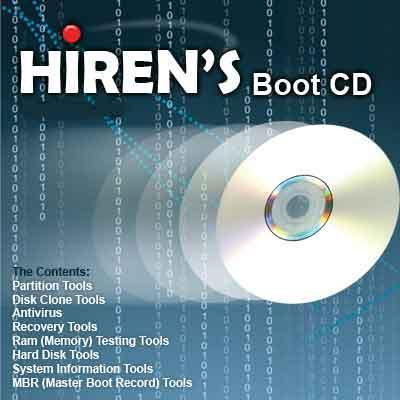
Hiren's Boot CD v9.7


All in one Dos Bootable CD which has all these utilities

----------------------------------------------------------------------------
Changes from v9.6 -> v9.7
----------------------------------------------------------------------------
+Mini Windows Xp
+Password Renew 1.1
+WindowsGate 1.1
+Registry Editor PE 0.9c
+Smart Driver Backup 2.12
+Ultimate Windows Tweaker 1.0
+Off By One Browser 3.5
-DocMem
Ghost 11.5.0.2141
Ghost Walker 11.5.0.2141
Ghost Image Explorer 11.5.0.2141
IBM/Hitachi Drive Fitness Test 4.11
Memtest86+ 2.11
ExcelStor's ESTest 4.50
Astra 5.41
HWiNFO 5.2.5
CPU Identification utility 1.15
7-Zip 4.62
Recuva 1.22.384
Partition Find and Mount 2.31
Express Burn 4.16
Process Explorer 11.31
RootkitRevealer 1.71
Silent Runners Revision 59
Autoruns 9.37
CurrPorts 1.55
CPU-Z 1.49
SmitFraudFix 2.387
CCleaner 2.15.815
ProduKey 1.35
Wireless Key View 1.20
ShellExView 1.35
Xp-AntiSpy 3.97
PC Wizard 2008.1.871
SIW 2008-12-16
Spybot - Search & Destroy 1.6 (3012)
SpywareBlaster 4.1(3012)
PCI 32 Sniffer 1.4 (3012)
McAfee Antivirus 4.4.50 (3012)
Ad-Aware SE Personal 1.06 (3012)
PCI and AGP info Tool (3012)
Unknown Devices 1.2 (3012)


—————————————————————————-
All softwares:
—————————————————————————-
----------------------------------------------------------------------------
Partition Tools
----------------------------------------------------------------------------
Partition Magic Pro 8.05
Best software to partition hard drive

Acronis Disk Director Suite 9.0.554
Popular disk management functions in a single suite

Paragon Partition Manager 7.0.1274
Universal tool for partitions

Partition Commander 9.01
The safe way to partition your hard drive,with undo feature

Ranish Partition Manager 2.44
a boot manager and hard disk partitioner.

The Partition Resizer 1.3.4
move and resize your partitions in one step and more.

Smart Fdisk 2.05
a simple harddisk partition manager

SPecial Fdisk 2000.03t
SPFDISK a partition tool.

eXtended Fdisk 0.9.3
XFDISK allows easy partition creation and edition

GDisk 1.1.1
Complete replacement for the DOS FDISK utility and more.

Super Fdisk 1.0
Create, delete, format partitions drives without destroying data

Partition Table Editor 8.0
Partition Table and Boot Record Editor
----------------------------------------------------------------------------
Disk Clone Tools
----------------------------------------------------------------------------
ImageCenter 5.6 (Drive Image 2002)
Best software to clone hard drive

Norton Ghost 11.5
Similar to Drive Image (with usb/scsi support)

Acronis True Image 8.1.945
Create an exact disk image for complete system backup and disk cloning.

Partition Saving 3.60
A tool to backup/restore partitions. (SavePart.exe)

COPYR.DMA Build013
A Tool for making copies of hard disks with bad sectors
----------------------------------------------------------------------------
Antivirus Tools
----------------------------------------------------------------------------
McAfee Antivirus 4.4.50 (3012)
a virus scanner (with ntfs support and easy to use menu)
----------------------------------------------------------------------------
Recovery Tools
----------------------------------------------------------------------------
Active Partition Recovery 3.0
To Recover a Deleted partition.

Active Uneraser 3.0
To recover deleted files and folders on FAT and NTFS systems.

Ontrack Easy Recovery Pro 6.10
To Recover data that has been deleted/virus attack

Winternals Disk Commander 1.1
more than just a standard deleted-file recovery utility

TestDisk 6.10
Tool to check and undelete partition.

Lost & Found 1.06
a good old data recovery software.

DiyDataRecovery Diskpatch 2.1.100
An excellent data recovery software.

Prosoft Media Tools 5.0 1.1.2.64
Another excellent data recovery software with many other options.

PhotoRec 6.10
File and pictures recovery Tool.
----------------------------------------------------------------------------
Testing Tools
----------------------------------------------------------------------------
System Speed Test 4.78
it tests CPU, harddrive, ect.

PC-Check 6.5
Easy to use hardware tests

Ontrack Data Advisor 5.0
Powerful diagnostic tool for assessing the condition of your computer

The Troubleshooter 7.02
all kind of hardware testing tool

PC Doctor 2004
a benchmarking and information tool

CPU/Video/Disk Performance Test 5.7
a tool to test cpu, video, and disk

Test Hard Disk Drive 1.0
a tool to test Hard Disk Drive
----------------------------------------------------------------------------
RAM (Memory) Testing Tools
----------------------------------------------------------------------------
GoldMemory 5.07
RAM Test utility

Memtest86+ 2.11
PC Memory Test
----------------------------------------------------------------------------
Hard Disk Tools
----------------------------------------------------------------------------
Hard Disk Diagnostic Utilities
Seagate Seatools Desktop Edition 3.02
Western Digital Data Lifeguard Tools
Western Digital Diagnostics (DLGDIAG) 5.04f
Maxtor PowerMax 4.23
Maxtor amset utility 4.0
Maxtor(or any Hdd) Low Level Formatter 1.1
Fujitsu HDD Diagnostic Tool 7.00
Fujitsu IDE Low Level Format 1.0
Samsung HDD Utility(HUTIL) 2.10
Samsung Disk Diagnose (SHDIAG) 1.28
IBM/Hitachi Drive Fitness Test 4.11
IBM/Hitachi Feature Tool 2.11
Gateway GwScan 5.12
ExcelStor's ESTest 4.50
MHDD 4.6
WDClear 1.30
Toshiba Hard Disk Diagnostic 2.00b
SeaTools for Dos 1.10

HDD Regenerator 1.51
to recover a bad hard drive

Ontrack Disk Manager 9.57
Disk Test/Format/Maintenance tool.

Norton Disk Doctor 2002
a tool to repair a damaged disk, or to diagnose your hard drive.

Norton Disk Editor 2002
a powerful disk editing, manual data recovery tool.

Hard Disk Sentinel 0.02
Hard Disk health, performance and temperature monitoring tool.

Active Kill Disk 4.1
Securely overwrites and destroys all data on physical drive.

HDAT2 4.53
main function is testing and repair (regenerates) bad sectors for detected devices

SmartUDM 2.00
Hard Disk Drive S.M.A.R.T. Viewer.

Victoria 3.33e and 3.52rus
a freeware program for low-level HDD diagnostics

HDD Erase 4.0
Secure erase using a special feature built into most newer hard drives
----------------------------------------------------------------------------
System Information Tools
----------------------------------------------------------------------------
Aida16 2.14
a system information tool, extracts details of all components of the PC

PCI and AGP info Tool (3012)
The PCI System information & Exploration tool.

System Analyser 5.3u
View extensive information about your hardware

Navratil Software System Information 0.60.32
High-end professional system information tool

Astra 5.41
Advanced System info Tool and Reporting Assistant

HWiNFO 5.2.5
a powerful system information utility

PC-Config 9.33
Complete hardware detection of your computer

SysChk 2.46
Find out exactly what is under the hood of your PC

CPU Identification utility 1.15
Detailed information on CPU (CHKCPU.EXE)

CTIA CPU Information 2.7
another CPU information tool
----------------------------------------------------------------------------
MBR (Master Boot Record) Tools
----------------------------------------------------------------------------
MBRWork 1.07b
a utility to perform some common and uncommon MBR functions

MBR Tool 2.2.100
backup, verify, restore, edit, refresh, remove, display, re-write...

DiskMan4
all in one tool for cmos, bios, bootrecord and more

BootFix Utility
Run this utility if you get 'Invalid system disk'

MBR SAVE / RESTORE 2.1
BootSave and BootRest tools to save / restore MBR

Boot Partition 2.60
add Partition in the Windows NT/2000/XP Multi-boot loader

Partition Table Doctor 3.5
a tool to repair/modify mbr, bootsector, partition table

Smart Boot Manager 3.7.1
a multi boot manager

Bootmagic 8.0
This tool is for multi boot operating systems

MBRWizard 2.0b
Directly update and modify the MBR (Master Boot Record)
----------------------------------------------------------------------------
BIOS / CMOS Tools
----------------------------------------------------------------------------
CMOS 0.93
CMOS Save / Restore Tool

BIOS Cracker 4.8
BIOS password remover (cmospwd)

BIOS Cracker 1.4
BIOS password remover (cmospwc)

BIOS Utility 1.35.0
BIOS Informations, password, beep codes and more.

!BIOS 3.20
a powerfull utility for bios and cmos

DISKMAN4
a powerful all in one utility

UniFlash 1.40
bios flash utility

Kill CMOS
a tiny utility to wipe cmos

Award DMI Configuration Utility 2.43
DMI Configuration utility for modifying/viewing the MIDF contents.
----------------------------------------------------------------------------
MultiMedia Tools
----------------------------------------------------------------------------
Picture Viewer 1.94
Picture viewer for dos, supports more then 40 filetypes.

QuickView Pro 2.58
movie viewer for dos, supports many format including divx.

MpxPlay 1.56
a small Music Player for dos
----------------------------------------------------------------------------
Password Tools
----------------------------------------------------------------------------
Active Password Changer 3.0.420
To Reset User Password on windows NT/2000/XP/2003/Vista (FAT/NTFS)

Offline NT/2K/XP Password Changer
utility to reset windows nt/2000/xp administrator/user password.

Registry Viewer 4.2
Registry Viewer/Editor for Win9x/Me/NT/2K/XP

Registry Reanimator 1.02
check and restore structure of the damaged registry files of NT/2K/XP

NTPWD
utility to reset windows nt/2000/xp administrator/user password.

ATAPWD 1.2
Hard Disk Password Utility
----------------------------------------------------------------------------
NTFS Ext2FS, Ext3FS (FileSystems) Tools
----------------------------------------------------------------------------
NTFS Dos Pro 5.0
To access ntfs partitions from Dos

NTFS 4 Dos 1.9
To access ntfs partitions from Dos

Paragon Mount Everything 3.0
To access NTFS, Ext2FS, Ext3FS partitions from dos

NTFS Dos 3.02
To access ntfs partitions from Dos

EditBINI 1.01
to Edit boot.ini on NTFS Partition
----------------------------------------------------------------------------
Dos File Managers
----------------------------------------------------------------------------
Volkov Commander 4.99
Dos File Manager with LongFileName/ntfs support
(Similar to Norton Commander)

Dos Command Center 5.1
Classic dos-based file manager.

File Wizard 1.35
a file manager - colored files, drag and drop copy, move, delete etc.

File Maven 3.5
an advanced Dos file manager with high speed PC-to-PC file
transfers via serial or parallel cable

FastLynx 2.0
Dos file manager with Pc to Pc file transfer capability

LapLink 5.0
the smart way to transfer files and directories between PCs.

Dos Navigator 6.4.0
Dos File Manager, Norton Commander clone but has much more features

Mini Windows 98
Can run from Ram Drive, with ntfs support,
Added 7-Zip which supports .7z .zip .cab .rar .arj .gzip,
.bzip2 .z .tar .cpio .rpm and .deb
Disk Defragmenter, Notepad / RichText Editor,
Image Viewer, .avi .mpg .divx .xvid Movie Player, etc...
----------------------------------------------------------------------------
Other Tools
----------------------------------------------------------------------------
Ghost Walker 11.5
utility that changes the security ID (SID) for Windows NT, 2000 and XP

DosCDroast beta 2
Dos CD Burning Tools

Universal TCP/IP Network 6.2
MSDOS Network Client to connect via TCP/IP to a Microsoft based
network. The network can either be a peer-to-peer or a server based
network, it contains 91 different network card drivers
----------------------------------------------------------------------------
Dos Tools
----------------------------------------------------------------------------
USB CD-Rom Driver 1
Standard usb_cd.sys driver for cd drive

Universal USB Driver 2
Panasonic v2.20 ASPI Manager for USB mass storage

SCSI Support
SCSI Drivers for Dos

SATA Support
SATA Driver (gcdrom.sys) and JMicron JMB361 (xcdrom.sys) for Dos

1394 Firewire Support
1394 Firewire Drivers for Dos

Interlnk support at COM1
To access another computer from COM port

Interlnk support at LPT1
To access another computer from LPT port
----------------------------------------------------------------------------
and too many great dos tools
very good collection of dos utilities
----------------------------------------------------------------------------
extract.exe pkzip.exe pkunzip.exe unrar.exe rar.exe
ace.exe lha.exe gzip.exe uharcd.exe mouse.com
attrib.com deltree.exe xcopy.exe diskcopy.com imgExtrc.exe
undelete.com edit.com fdisk.exe fdisk2.exe fdisk3.exe
lf.exe delpart.exe wipe.com zap.com format.com
move.exe more.com find.exe hex.exe debug.exe
split.exe mem.exe mi.com sys.com smartdrv.exe
xmsdsk.exe killer.exe share.exe scandisk.exe scanreg.exe
guest.exe doskey.exe duse.exe biosdtct.exe setver.exe
intersvr.exe interlnk.exe loadlin.exe lfndos.exe doslfn.com
----------------------------------------------------------------------------
Windows Tools
----------------------------------------------------------------------------
SpaceMonger 1.4
keeping track of the free space on your computer

WinDirStat 1.1.2.80
a disk usage statistics viewer and cleanup tool for Windows.

Drive Temperature 1.0
Hard Disk Drive temperature meter

Disk Speed 1.0
Hard Disk Drive Speed Testing Tool

MemTest 1.0
a Memory Testing Tool

S&M Stress Test 1.9.1
cpu/hdd/memory benchmarking and information tool, including temperatures/fan speeds/voltages

PageDfrg 2.32
System file Defragmenter For NT/2k/XP

WhitSoft File Splitter 4.5a
a Small File Split-Join Tool

7-Zip 4.62
File Manager/Archiver Supports 7z, ZIP, GZIP, BZIP2, TAR, RAR, CAB, ISO, ARJ, LZH, CHM, MSI, WIM, Z, CPIO, RPM, DEB and NSIS formats<

Off By One Browser 3.5d
an independent web browser that runs completely self- contained

Ghost Image Explorer 11.5
to add/remove/extract files from Ghost image file

DriveImage Explorer 5.0
to add/remove/extract files from Drive image file

Drive SnapShot 1.39
creates an exact Disk Image of your system into a file while windows is running.

Active Undelete 5.5
a tool to recover deleted files

Restoration 3.2.13
a tool to recover deleted files

GetDataBack for FAT 2.31
Data recovery software for FAT file systems

GetDataBack for NTFS 2.31
Data recovery software for NTFS file systems

Recuva 1.22.384
Restore deleted files from Hard Drive, Digital Camera Memory Card, usb mp3 player...

Partition Find and Mount 2.3.1
Partition Find and Mount software is designed to find lost or deleted partitions

Unstoppable Copier 3.56
Allows you to copy files from disks with problems such as bad sectors,
scratches or that just give errors when reading data.

HDD Scan 3.1
This is a Low-level HDD diagnostic tool, it scans surface find bad sectors etc.

HDTune 2.55
Hard disk benchmarking and information tool.

Express Burn 4.16
CD/DVD Burner Program to create and record CDs/DVDs, also create/burn .iso and .nrg images

Data Shredder 1.0
A tool to Erase disk and files (also wipe free space) securely

Startup Control Panel 2.8
a tool to edit startup programs

NT Registry Optimizer 1.1j
Registry Optimization for Windows NT/2000/2003/XP/Vista

Registry Editor PE 0.9c
Easy editing of remote registry hives and user profiles

DefragNT 1.9
This tool presents the user with many options for disk defragmenting

JkDefrag 3.36
Free disk defragment and optimize utility for Windows 2000/2003/XP/Vista

Startup Monitor 1.02
it notifies you when any program registers itself to run at system startup

IB Process Manager 1.04
a little process manager for 9x/2k, shows dll info etc.

Process Explorer 11.31
shows you information about which handles and DLLs processes have opened or loaded

Pocket KillBox 2.0.0.978
can be used to get rid of files that stubbornly refuse to allow you to delete them

Unlocker 1.8.7
This tool can delete file/folder when you get this message - Cannot delete file:
Access is denied, The file is in use by another program etc.

HijackThis 2.0.2
a general homepage hijackers detector and remover and more

RootkitRevealer 1.7.1
Rootkit Revealer is an advanced patent-pending root kit detection utility.

Silent Runners Revision 59
A free script that helps detect spyware, malware and adware in the startup process

Autoruns 9.37
Displays All the entries from startup folder, Run, RunOnce, and other Registry keys,
Explorer shell extensions,toolbars, browser helper objects, Winlogon notifications,
auto-start services, Scheduled Tasks, Winsock, LSA Providers, Remove Drivers
and much more which helps to remove nasty spyware/adware and viruses.

Dial a Fix 0.60.0.24
Fix errors and problems with COM/ActiveX object errors and missing registry entries,
Automatic Updates, SSL, HTTPS, and Cryptography service (signing/verification)
issues, Reinstall internet explorer etc. comes with the policy scanner

CurrPorts 1.55
displays the list of all currently opened TCP and UDP ports on your computer

Unknown Devices 1.2 (3012)
helps you find what those unknown devices in Device Manager really are

PCI 32 Sniffer 1.1 (3012)
device information tool (similar to unknown devices)

NewSID 4.10
utility that changes the security ID (SID) for Windows NT, 2000 and XP

Smart Driver Backup 2.12
Easy backup of your Windows device drivers (also works from PE)

Double Driver 1.0
Driver Backup and Restore tool

DriverBackup! 1.0.3
Another handy tool to backup drivers

CPU-Z 1.49
It gathers information on some of the main devices of your system

CWShredder 2.19
Popular CoolWebSearch Trojan Remover tool

SmitFraudFix 2.387
This removes Some of the popular Desktop Hijack malware

Winsock 2 Fix for 9x
to fix corrupted Winsock2 information by poorly written Internet programs

XP TCP/IP Repair 1.0
Repair your Windows XP Winsock and TCP/IP registry errors

CCleaner 2.15.815
Crap Cleaner is a freeware system optimization and privacy tool

EzPcFix 1.0.0.16
Helpful tool when trying to remove viruses, spyware, and malware

Content Advisor Password Remover 1.0
It Removes Content Advisor Password from Internet Explorer

Password Renew 1.1
Utility to (re)set windows passwords

WindowsGate 1.1
Enables/Disables Windows logon password validation

WinKeyFinder 1.73
Allows you to View and Change Windows XP/2003 Product Keys, backup and restore
activation related files, backup Microsoft Office 97, 2000 SP2, XP/2003 keys etc.

ProduKey 1.35
Recovers lost the product key of your Windows/Office

Wireless Key View 1.20
Recovers all wireless network keys (WEP/WPA) stored in your computer by WZC

Monitor Tester 1.0
Allows you to test CRT/LCD/TFT screens for dead pixels and diffective screens

Shell Extensions Manager (ShellExView) 1.35
An excellent tool to View and Manage all installed Context-menu/Shell extensions

Ultimate Windows Tweaker 1.0
A TweakUI Utility for tweaking and optimizing Windows Vista

TweakUI 2.10
This PowerToy gives you access to system settings that are not exposed in the Windows Xp

Xp-AntiSpy 3.97
it tweaks some Windows XP functions, and disables some unneeded Windows services quickly

PC Wizard 2008.1.871
Powerful system information/benchmark utility designed especially for detection of hardware.

SIW 2008-12-16
Gathers detailed information about your system properties and settings.

Spybot - Search & Destroy 1.6 (3012)
Application to scan for spyware, adware, hijackers and other malicious software.

SpywareBlaster 4.1 (3012)
Prevent the installation of spyware and other potentially unwanted software.

Ad-Aware SE Personal 1.06 (3012)
find and remove spyware, adware, dialers etc. (a must have tool)


Oct 25, 2008

MuCommander is a powerful, cross-platform file manager


We've covered many, many Explorer replacements here in the past, so I was a little surprised that MuCommander hadn't been written up yet.

What makes MuCommander stand out is that it is free, open source, and cross-platform. The author's web site provides downloads for Windows, Mac, and Linux (.tar.gz) as well as a Debian package, portable version, and a Java Web Start package.

It's actually the first JWS application I've come across since I started reviewing for Download Squad. It loaded fairly quickly on my netbook, and ridiculously fast on my quad-core AMD desktop.

MuCommander presents a skinnable, dual-pane view for file management. There's no tab support, though I don't consider that a major shortcoming - especially considering its other features are numerous, and extremely useful.

For starters, there's built-in support for FTP, SFTP, Samba, HTTP, NFS, and Bonjour. Several types of archives can be explored without extracting: zip, rar, tar, gzip, bzip2, iso, nrg, deb, and lst. MuCommander can create archives (press ctrl+I to pack) and even modify zip files on the fly without having to recompress the entire archive

There's also a command shell window with scrolling output, credential manager, and favorite locations list.

MuCommander is a fantastic file manager, and well worth a test drive for any user - regardless of OS.

RevoluTV: Watch live TV streams in Windows


Hulu Schmulu. Some TV networks have been providing streaming content for ages. You can watch live or recent news updates from the BBC or CNN, music videos, or even movies if you know where to look. But where's the fun in that? RevoluTV is a Windows app that comes preloaded with a long list of video channels that you can stream using the built-in Windows Media Player interface.

Unlike previously mentioned LiveStation, which is mostly focused on news channels, RevoluTV has a ton of streams divided into categories like News, Entertainment, Lifestyle, Music, Movies, Sports, and Kids. And most of the streams I tried actually played, which is more than I can say for some other programs I've used that promise to let you stream internet TV content from around the globe.

Of course, I've kind of gotten used to the video-on-demand feel of Hulu and similar sites, so I'm not really a big fan of watching live television anymore. But if you can't find anything worth watching on Hulu, YouTube, or whatever online video site you're addicted to these days, RevoluTV might be worth a look.


Oct 15, 2008

15 Tips For a Better Linux Experience


The beauty of Linux is in users ability to do large amount of customization to have a unique user expereince. So today we will look in to some tips for a “better” Linux experience. The term “better” here is relative, because what works for me might seem a distraction for some or plain annoying to others; some of this “tips” might appeal to beginners, while advanced users might find it too easy. Hopefully some of these tips will be helpful to some of you.

1) Turn on your computer remotely by sending “magic network packets” to WakeOnLan supported network cards. This can be very helpful if you run a server at home but only access it occasionally. There is no need for you to have the server running all the time.

2) If you dual boot with windows, accessing Linux file system from your windows installation might be important for you. There are three windows applications that can help you do this: Explore2fs, Ext2 Installable File System, DiskInternals Linux Reader.


3) Similarly to have read/write access for Windows NTFS file system, you can use NTFS-3G. Most recent popular Linux distribution has NTFS-3G installed out of the box.

4) Share a single mouse and keyboard with multiple computers with different operating systems, each with its own display, with support for copy and paste. Thanks to Synergy, the most popular free KVM software switch out there.


Synergy in action.

5) Recovering data from damaged media can be handled by several Linux tools including some LiveCD, specifically built to help recover data. Parted Magic, Ubuntu Rescue Remix, SystemRescueCd, Foremost (data recovery), Ddrescue.

6) If you are a blogger like me and enjoy using desktop client over web editors, you will find these clients useful: Gnome Blog, Drivel Journal Editor, BloGTK, Thingamablog, Bleezer, QTM.

7) If you are a webdeveloper/designer, you will often find yourself testing a website across many platforms and browsers. IEs4Linux is a great painless way to check how IE browser will render your website. You could use services like browsershots, but I had mixed results with them.

8) Does your iPod miss iTunes? Here are three itunes alternative which will do most of what your iTunes would do, not an exact replacement; but does the job: Amarok, Banshee, Rhythmbox.

9) Follow multiple files by creating multiple windows in your console with the help of MultiTail, also known as tail on steroids.

10) Use Terminator to split your screen space with many terminal windows, both horizontally and vertically.

11) For even better control over your terminal display and customization and complex functions, GNU Screen is a much better choice over terminator; however terminator serves only one purpose.

12) Use RSIBreak to help prevent Repetitive Strain Injury. RSIBreak will force you to take short break, depending on your configuration, so that you don’t over-work yourself.


RSIBreak

13) If you find yourself working on a dumb terminal (hello sysadmins) or prefer working on terminals, you will find newsbeuter to be an excellent RSS reader for the console.

14) I know some will disagree with me on this, but conky is an excellent compliment to your desktop experience. If properly configured, it can add a lot of value to your desktop environment. Check out this very creative conky setup and read about it here.

15) Do you do podcasts? rootprompt has a great article with huge resources for both Linux podcasters and listeners.

Sep 25, 2008

Useful Commands For The Linux Command Line

Useful commands for the Linux command line

This short guide shows some important commands for your daily work on the Linux command line.
arch
Outputs the processor architecture.

$ arch

i686
cat
Outputs the contents of a file.


$ cat lorem.txt

Lorem ipsum dolor sit amet, consectetur adipisicing elit, sed do eiusmod tempor incididunt ut labore et dolore magna aliqua. Ut enim ad minim veniam, quis nostrud exercitation ullamco laboris nisi ut aliquip ex ea commodo consequat. Duis aute irure dolor in reprehenderit in voluptate velit esse cillum dolore eu fugiat nulla pariatur. Excepteur sint occaecat cupidatat non proident, sunt in culpa qui officia deserunt mollit anim id est laborum.
cd
Change the working directory.

$ cd /bin
chgrp
Change group ownership of files.

$ chgrp games moo.txt
chmod
Change access permissions of files.

$ chmod +x helloworld
chown
Change file owner and group.

# chown root lorem.txt
cksum
Print CRC checksum and byte counts of each file.

$ cksum lorem.txt moo.txt

3570240675 453 lorem.txt
4294967295 0 moo.txt
cp
Copies a file.

$ cp lorem.txt copy_of_lorem.txt
date
Outputs the current date and time.

$ date

Sat Mar 3 12:07:09 GMT 2007
df
Reports the amount of disk space used and available on filesystems.

$ df

Filesystem 1K-blocks Used Available Use% Mounted on

/dev/simfs 39845888 218048 39627840 1% /
dir
List directory contents.

$ dir

copy_of_lorem.txt lorem.txt moo.txt www
du
Estimate file space usage.

$ du -h /bin

7.8M /bin
echo
Display a line of text.

$ echo foobar

foobar
exit
Cause the shell to exit.

$ exit
fgrep
Print lines matching a pattern in a file.

$ fgrep "irure dolor" lorem.txt

commodo consequat. Duis aute irure dolor in reprehenderit in voluptate
find
Search for files in a directory hierarchy.

$ find hello*

hello_world
hello_world.c
free
Display amount of free and used memory in the system.

$ free

total used free shared buffers cached
Mem: 8299892 8287708 12184 0 2641772 1731236
Low: 3581300 3572764 8536
High: 4718592 4714944 3648
-/+ buffers/cache: 3914700 4385192
Swap: 8193140 2335664 5857476
grep
Print lines matching a pattern.

$ grep -i apple fruitlist.txt

apple
groups
Outputs the user groups of which your account belongs to.

$ groups

games users
head
Output the first part of files.

$ head -2 lorem.txt

Lorem ipsum dolor sit amet, consectetur adipisicing elit, sed do eiusmod
tempor incididunt ut labore et dolore magna aliqua. Ut enim ad minim
hostname
Outputs the machines hostname on the network.

$ hostname


id
Outputs user id, group id, and groups of your account.

$ id

uid=1478(smallfoot) gid=100(users) groups=35(games),100(users)
kill
End a process.

$ kill -9 18298

-bash: kill: (18298) - Operation not permitted
killall
Kill processes by name.

$ killall irssi

irssi(18298): Operation not permitted
irssi(13372): Operation not permitted
irssi(22048): Operation not permitted
irssi: no process killed
last
Show listing of last logged in users.

$ last -n 3

alice pts/6 192.0.34.166 Fri May 18 16:17 still logged in
bob pts/2 64.233.183.103 Fri May 18 16:17 still logged in
clare pts/6 72.5.124.61 Fri May 18 15:54 - 15:55 (00:01)
ldd
Print shared library dependencies.

$ ldd /bin/bash

libncurses.so.5 => /lib/libncurses.so.5 (0x40023000)
libdl.so.2 => /lib/libdl.so.2 (0x40065000)
libc.so.6 => /lib/libc.so.6 (0x40069000)
/lib/ld-linux.so.2 (0x40000000)
ln
Make links between files.

$ ln -s data.txt symlink.txt
logname
Print user's login name.

$ logname

smallfoot
ls
List directory contents.

$ ls

copy_of_lorem.txt lorem.txt moo.txt www
man
Opens the manual page for a software or function.

$ man bash
md5sum
Outputs the MD5 hash sum of a file.

$ md5sum lorem.txt

56da9e37259af34345895883e6fd1a27 lorem.txt
mkdir
Makes a directory.

$ mkdir foobar
mv
Moves a file.

$ mv lorem.txt ipsum.txt
nl
Number lines of files.

$ nl lorem.txt

1 Lorem ipsum dolor sit amet, consectetur adipisicing elit, sed do eiusmod
2 tempor incididunt ut labore et dolore magna aliqua. Ut enim ad minim
3 veniam, quis nostrud exercitation ullamco laboris nisi ut aliquip ex ea
4 commodo consequat. Duis aute irure dolor in reprehenderit in voluptate
5 velit esse cillum dolore eu fugiat nulla pariatur. Excepteur sint
6 occaecat cupidatat non proident, sunt in culpa qui officia deserunt
7 mollit anim id est laborum.
nm
List symbols from object files.

$ nm hello_world

080494a0 D _DYNAMIC
0804956c D _GLOBAL_OFFSET_TABLE_
08048474 R _IO_stdin_used
w _Jv_RegisterClasses
08049490 d __CTOR_END__
0804948c d __CTOR_LIST__
08049498 d __DTOR_END__
...
od
Dump files in octal and other formats.

$ od -t x /bin/sh

2376640 00098020 000054d4 00000000 00000000
2376660 00000020 00000000 000000c7 00000008
2376700 00000003 080e6500 0009d4f4 00004ae8
...
pidof
Find the process ID of a running program.

$ pidof fetchmail

22392
ping
Pings a host.

$ ping -c 2 127.0.0.1

PING 127.0.0.1 (127.0.0.1) 56(84) bytes of data.
64 bytes from 127.0.0.1: icmp_seq=1 ttl=64 time=0.048 ms
64 bytes from 127.0.0.1: icmp_seq=2 ttl=64 time=0.052 ms

--- 127.0.0.1 ping statistics ---
2 packets transmitted, 2 received, 0% packet loss, time 999ms
rtt min/avg/max/mdev = 0.048/0.050/0.052/0.002 ms
ps
Outputs running processes.

$ ps

PID TTY TIME CMD
21542 pts/12 00:00:00 bash
27706 pts/12 00:00:00 ps
pstree
Display a tree of processes.

$ pstree

init-+-2*[BitchX]
|-3*[bash---sleep]
|-fetchmail
|-screen-+-bash---irssi
| `-bash---ctorrent
|-screen-+-bash---lisp.run
| |-bash---vi
| |-2*[bash]
| `-bash---lynx
|-2*[screen---bash---irssi]
|-screen---irssi
|-screen---bash
|-screen-+-bash
| `-irssi
|-skjerm---irssi
|-sshd-+-5*[sshd---sshd---bash---irssi]
| |-8*[sshd---sshd---bash]
| |-sshd---sshd---bash---screen
| |-sshd---sshd
| `-sshd---sshd---bash---pstree
`-syslog-ng
pwd
Outputs the name of current working directory.

$ pwd

/home/smallfoot
rm
Removes a file or directory.

$ rm lorem.txt
rmdir
Removes a directory.

$ rmdir foobar
sed
Stream editor for filtering and transforming text.

$ echo "My cat's name is Bob" | sed -e 's/Bob/Mittens/g'

My cat's name is Mittens
sha1sum
Outputs the SHA1 hash sum of a file.

$ sha1sum lorem.txt

c942ddebd142ec8bacac9213d48096e74bab4957 lorem.txt
shutdown
Bring the system down in a secure way. All logged-in users are notified that the system is going down.

$ shutdown now
size
List section sizes and total size.

$ size /bin/bash

text data bss dec hex filename
621233 22712 19176 663121 a1e51 /bin/bash
stat
Outputs file status.

$ stat lorem.txt

File: `lorem.txt'
Size: 453 Blocks: 8 IO Block: 4096 regular file
Device: 77h/119d Inode: 27312217 Links: 1
Access: (0644/-rw-r--r--) Uid: ( 1478/smallfoot) Gid: ( 100/ users)
Access: 2007-03-03 12:24:39.000000000 +0000
Modify: 2007-03-03 12:24:39.000000000 +0000
Change: 2007-03-03 12:24:39.000000000 +0000
strings
Print the strings of printable characters in files.

$ strings hello_world

/lib/ld-linux.so.2
_Jv_RegisterClasses
__gmon_start__
libc.so.6
puts
_IO_stdin_used
__libc_start_main
GLIBC_2.0
PTRh%
[^_]
Hello World!
tail
Output the last part of files.

$ tail -2 lorem.txt

occaecat cupidatat non proident, sunt in culpa qui officia deserunt
mollit anim id est laborum.
talk
Talk to another user.

$ talk bob Lookout for the dopefish!
touch
Change a file's access and modification timestamps. If file does not exist, create it.

$ touch lorem.txt
tty
Outputs the name of the current terminal.

$ tty

/dev/pts/16
uname
Outputs operating system, hostname, kernel version, date and timp, and processor.

$ uname -a

Linux anapnea.net 2.6.9 #1 SMP Wed Jul 19 16:24:18 MSD 2006 i686 Intel(R) Xeon(TM) CPU 2.80GHz GenuineIntel GNU/Linux
uptime
Outputs the system uptime.

$ uptime

14:50:26 up 7 days, 17:52, 18 users, load average: 0.08, 0.02, 0.01
users
Print the user names of users currently logged in to the current host.

$ users

alice bob charlie eve
vdir
List directory contents.

$ vdir

total 8
-rw-r--r-- 1 smallfoot users 453 Mar 3 12:32 copy_of_lorem.txt
-rw-r--r-- 1 smallfoot users 453 Mar 3 12:24 lorem.txt
-rw-r--r-- 1 smallfoot users 0 Mar 3 12:32 moo.txt
lrwxr-xr-x 1 root root 18 Feb 27 19:33 www -> /var/www/smallfoot
w
Show who is logged on and what they are doing.

$ w

12:14:30 up 5 days, 15:16, 19 users, load average: 0.00, 0.00, 0.00
USER TTY LOGIN@ IDLE JCPU PCPU WHAT
charlie pts/0 Fri21 3:26m 2.52s 2.52s irssi
alice pts/2 Wed17 30:21m 0.00s 0.00s -bash
emma pts/4 11:37 36:57 0.00s 0.00s -bash
frank pts/5 11:48 11:03 0.00s 0.00s -bash
smallfoo pts/12 12:01 0.00s 0.04s 0.01s w
wall
Send a message to everybody's terminal.

$ wall next week we change the server for a new one
wc
Counts lines in a file.

$ wc -l lorem.txt

7 lorem.txt
whatis
Search the whatis database for complete words.

$ whatis bash

bash (1) - GNU Bourne-Again SHell
bash [builtins] (1) - bash built-in commands, see bash(1)
who
Outputs who is currently logged into the system.

$ who

charlie pts/0 Mar 2 21:37 (xtreme-11-65.acme.com)
alice pts/2 Feb 28 17:48 (147.21.16.3)
emma pts/4 Mar 3 11:37 (32.84-48-181.uac.com)
frank pts/5 Mar 3 11:48 (port-212-202-233-2.foobar.org)
smallfoot pts/12 Mar 3 12:01 (c-12776f4.cust.example.net)
whereis
Locate the binary, source, and manual page files for a command.

$ whereis bash

bash: /bin/bash /etc/bash /usr/share/man/man1/bash.1.gz
whoami
Outputs your username / the name of your account.

$ whoami

(howtoforge.com)

Run Linux LiveCDs in Windows with MobaLiveCD


Want to try out a Linux distro but don't feel like switching from Windows, rebooting your computer, or installing a virtualization application like VirtualBox? MobaLiveCD is a Windows utility that lets you run any LiveCD in Windows without installing a thing. Just download and run MobaLiveCD.exe (which is a 1.4MB file), and select the ISO you want to run. Thanks to the magic of QEMU, you'll be able to run the Linux distro as a LiveCD in a window on your desktop. no reboot required.

Now, don't expect spectacular performance here. You're essentially running an operating system inside of another operating system, so things might be on the slow side. And it won't necessarily work with every host machine or every LiveCD. But at 1.4MB and with no installation needed, why not give it a try?

MobaLiveCD can also be installed to your hard drive, allowing you to launch LiveCDs via a right-click context menu. And you can create virtual hard drives to save data from your LiveCD sessions.


(Via Downloadsquad.com)

Aug 24, 2008

How to Install Squid Proxy Server


How to Install Squid Proxy Server


Certainly Squid server is a favourite open source GPLd proxy and web cache. It’s a variety of functions, from accelerating a web server by caching repeated requests, to caching web, name server query , and other network lookups for a group of people sharing network resources. It is mainly designed to run on Linux / Unix-like systems. Squid is a high-performance proxy caching server for Web clients, supporting FTP, gopher, and HTTP data objects. Unlike traditional caching software, Squid handles all requests in a single, non-blocking, I/O-driven technique. Squid maintains meta data and specially hot objects cached in RAM, caches DNS lookups, supports non-blocking DNS lookups, and implements negative caching of failed requests. Squid comprises of a main server program squid, a Domain Name System lookup program (dnsserver), a program for retrieving FTP data (ftpget), and a lot of management and client tools.

Here is the instruction on how to install Squid proxy server:

1. Download Squid Cache

You can download Squid at http://www.squid-cache.org/Versions/ . There, you can see a lot of version of Squid. I prefer you to download the latest version. Here is the link for the latest version:

http://www.squid-cache.org/Versions/v3/3.0/squid-3.0.STABLE8.tar.gz

Note: If you want to download it directly from your server. Please use the following command:

wget http://www.squid-cache.org/Versions/v3/3.0/squid-3.0.STABLE8.tar.gz

2. Squid Cache Installation

To extract the downloaded compressed file, please use the following command:

tar -zxvf squid-3.0.STABLE8.tar.gz

this will create a directory named squid-3.0.STABLE8 at the current directory. Next, go into the directory:

cd squid-3.0.STABLE8

To build and install the Squid Cache, type:

./configure --prefix=/usr/local/squid
make all
make install

The command above will install squid in directory /usr/local/squid

3. Customize and Run Squid Cache

1. customize the squid.conf configuration file:
vi /usr/local/squid/etc/squid.conf

2. Initalise the cache:
/usr/local/squid/sbin/squid -z

3. start the cache:
/usr/local/squid/sbin/squid

Note: If you have problem to initialize the cache, please give the write permission (preferably chmod 777) for the specified directory.

Verify Squid Cache Installation

netstat -tulpn | grep 3128

Output:

tcp 0 0 0.0.0.0:3128 0.0.0.0:*

If you get the output above, you have successfully install Squid proxy server. :)

4. Client Configuration

Open a web browser > Tools > Internet option > Network settings > and setup Squid server IP address and port # 3128.

Good Luck!


Jul 15, 2008

Using TAR with Bunzip2 files

Bunzipping and then unTARring in two steps is not convenient.

It is not necessary to use Bunzip2 and then TAR to unzip a file in two separate steps.

Tar will do the job on its own if the -j switch is used, thus:

tar xjvf linux-source.tar.bz2

By the same token, you may use the -z switch with a gzipped file, e.g.

tar zxvf linux-source.tar.gz

Enjoy!

Jul 9, 2008

All in one driver solution with DriverMax


Need to reinstall Windows but you misplaced your driver disks? Not sure you have everything you need? DriverMax has you covered. Backing up and reinstalling your drivers couldn't be easier.

After installing DriverMax, go into Driver Operations and click on Export drivers. A list of all your installed drivers will be displayed and you can pick and choose which ones to export, or simply export the whole lot in one go. Once you've reinstalled Windows, go back into Driver Operations, click on Import drivers, and point to the folder containing your saved drivers. The import can take a while, but in comparison to manually installing each driver individually, this is a walk in the park.

DriverMax is also useful even if you don't need to perform a complete reinstall - you can use the program just to make sure that your drivers are up to date or export a list of your installed drivers as an html or text file.

DriverMax is compatible with Windows 2003, XP and Vista and you have to supply your email address in order to receive a registration code.

Tags: drivers, export, import, installing, vista, xp

* Read
* Permalink
* Email this
* Share
* Comments [3]

Jun 25, 2008

How to Configure Samba on RedHat Linux

What's Samba?

Samba allows linux computers to share files and printers across a network connection. By using its SMB protocol, your linux box can appear in Windows Network Neighborhood or My Network Places just like any other windows machine. You can share files this way, as well as printers. By using samba on my home network, for example, my Windows machines have access to a printer directly hooked up to my Linux box, and my Linux box has access to a printer directly hooked up to one of my Windows machines. In addition, everyone can access everyone else's shared files. You can see how samba can be very useful if you have a network of both Windows as well as Linux machines.

Samba configurations are slightly different depending on the distribution you're using. Therefore, this tutorial explains how it's done on a RedHat Linux machine, as this is my distro of choice, and the only one I've ever installed samba on. The following method has been used by me on RedHat 7.2, 7.3, and 8.

Installing Samba

The first step to configuring samba is, obviously, to make sure that it's installed. In most cases, this will already be the case. It is often a good idea to install the samba daemon package with the RedHat installation.

You can test to see if samba is installed by typing rpm -q samba in a terminal. This performs a query on the samba package. If installed, it will indicate the version. If not, it will indicate "package not installed".

If samba is not currently installed, there are a multitude of places to get it. The RPM package is available on the RedHat CDs, on the RedHat network, or straight from www.samba.org or one of the samba mirror sites. In addition, you might wish to find it at www.rpmfind.net, a nice resource for RPM packages.

Once you have the samba RPM package downloaded somewhere on your harddrive, it's time to install it. Browse to where the file is located and perform one of the following two operations:

if samba is not currently installed,
rpm -i samba.rpm
(replace samba.rpm with the full version name of the file)

if you wish to upgrade your samba version,
rpm -U samba.rpm

Now that samba is installed, we can work on configuring this program.

smb.conf file

All of samba is configured in one single file, the smb.conf file. This file, located at /etc/samba/smb.conf, allows you to specify which resources on the linux machine you wish to share and who they can be accessed by.

A fresh installation of samba will include a sample smb.conf file. This file is completely commented, pointing out all of your available options, and how you can change them. However, samba is an extremely powerful tool, and most casual users have no need for 3/4 of the contents of this sample file. Therefore, I'm providing my own smb.conf file below. If you wish to just share a few folders across a small home LAN, you might be better off basing your own smb.conf file off of mine, as opposed to the long-winded sample file.

[global]
workgroup = PUTIEVILLE
server string = My Lil Linux Box
hosts allow = 192.168. 127.
log file = /var/log/samba/%m.log
security = user
encrypt passwords = yes
smb passwd file = /etc/samba/smbpasswd
socket options = TCP_NODELAY SO_RCVBUF=8192 SO_SNDBUF=8192

[Downloads]
comment = Downloads
path = /home/windisk/Downloads
browseable = yes
writable = yes
public = yes
read only = no

[homes]
comment = My Home Directory
browseable = yes
writable = yes
public = yes
read only = no

[printers]
path = /var/spool/samba
public = yes
guest ok = yes
printable = yes
browseable = yes
writable = yes
read only = no


Samba Users

Since we're using user level security (the best option when connecting to a WinNT based machine, such as Windows 2000 or Windows XP), we need to set up samba users.

First, lets create the smbpasswd file that we defined in the smb.conf file. The best way to go about this is to create it based on your existing /etc/passwd file. In other words, samba users are created based on existing linux users:

cat /etc/passwd | mksmbpasswd.sh > /etc/samba/smbpasswd

Chmod 600 this file (/etc/samba/smbpasswd) so that only root has read and write permissions.

However, this file only copies over Linux users to samba users. It doesn't copy over their passwords, as well. Therefore, use the following command to set each samba user's password:

smbpasswd username

Obviously, replace username with each of your user's usernames. You will then be prompted to enter a password for this user account. I like to set my samba user's passwords the same as their linux user counterparts. However, this isn't necessary.

Samba Service

Now that everything has been configured, the final step is to start the samba service. Samba runs in the background as a linux daemon. Therefore, it can be controlled by typing:

service smb start
service smb stop
service smb restart

Note that once the computer is restarted or shutdown, the samba service won't start up again the next time. I use the GUI (xwindows) program serviceconf to set up all my services to execute automatically.

Connecting To A Samba Resource

Now that everything should be working, let's test it out. We use the samba client to connect to a samba resource. For testing purposes, we can connect to localhost.

smbclient //localhost/Downloads

You must specify the name of the computer as well as the resource you wish to connect to. In this case, I can connect to the Downloads resource because I specified this resource in my smb.conf file (note it points to /home/windisk/Downloads).

Since you are using the samba client while already logged in as a linux user, you will only be prompted for a password. The username will be assumed to be the samba counterpart of the linux username you're currently logged in as.

If you wish, you can go to a Windows machine such as Windows XP. If you open My Network Places, and browse to your workgroup, your linux machine should be listed. When trying to access it, you should be prompted with a username and password. This can be any of the samba users you previously created. Once logged in, you should see a listing of all available resources available.